Ratings
Updated for Logos 35+
Page Contents
What are Ratings?
- Ratings are the Stars in each of the books in your Library.
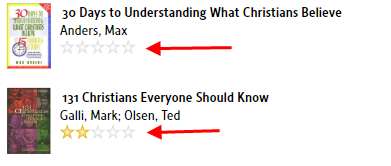
- You use these to Rate/Rank books in your Library.
- No gold star means you have not rated that book.
- 5 gold stars is the top rating, 1 gold star means you rated that book much less than a 5 star book.
What is Rating used for?
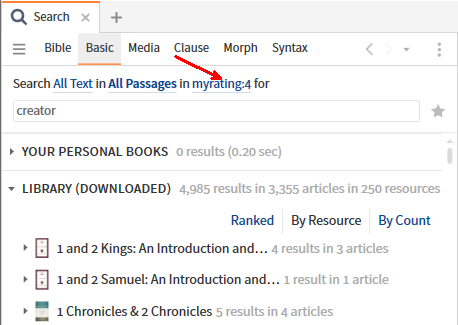
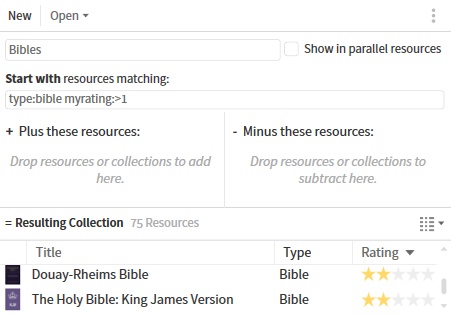
- Ratings can be used in Search and in setting up dynamic Collections.
- Example in Search (the books had been rated with 4 stars).
- Example in Collections (Bibles with Rating >1): see Collections
- You could rate new books as 2 stars and review them when time permits. That way, books that are not useful can be rated 1 star.
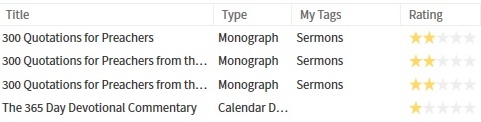
- View your rating in Library via the Rating column in Details view.
Is there a way to change the Ratings of multiple books at the same time?
You can do this in Library, using the Info pane.
- Start by filtering Library for the category of books you want to tag e.g. type:glossary
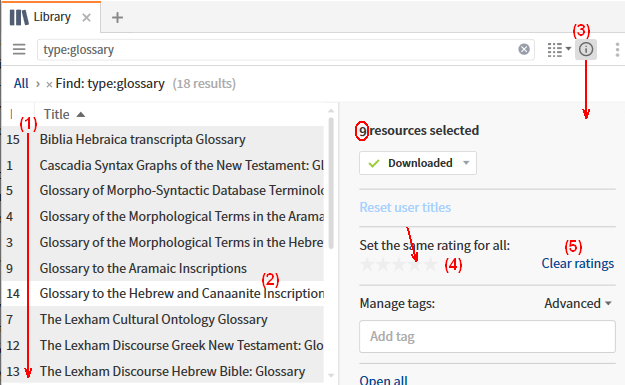
- Click on the first book that you want selected,
then move to the last book that you want selected.
Hold the Shift key down and click on the last book.
- If there is a book that you did not want selected, move the mouse over that book, hold the Ctrl key down and click.
- Open the Info pane by clicking on the
 icon
icon
- Click on the appropriate star to rate these books.
- Alternatively, you could click on Clear ratings to remove all ratings.